Best Smart Thermostat for Multi-Zone Systems in 2026: Complete Buyer’s Guide
What Is a Multi-Zone System and Why Do You Need a Smart Thermostat?
If your home has separate heating and cooling zones—perhaps different temperatures for upstairs bedrooms, a main living area, and a finished basement—you have a multi-zone HVAC system. Managing these zones efficiently requires thermostats that can communicate with each other and with your central system.
A smart thermostat designed for multi-zone systems doesn’t just control temperature; it learns your family’s patterns, adjusts based on occupancy, and can save you significant money on energy bills while keeping every room comfortable.
Quick Answer: The best smart thermostats for multi-zone systems in 2026 are the Ecobee Smart Thermostat Premium (best overall), Honeywell Home T9 (best for remote sensors), and Google Nest Learning Thermostat (4th Gen) (best AI-powered savings). For homes with 3+ zones, consider the Ecobee system with multiple sensors or a professionally installed zoned system controller .
Multi-Zone System Costs at a Glance
| Component | Average Cost Range |
|---|---|
| Single Smart Thermostat | $80 – $250 |
| Additional Room Sensors | $40 – $100 each |
| Full Multi-Zone System (3-8 zones) | $500 – $2,500+ |
| Professional Installation | $75 – $250 per thermostat |
| New Zoning System Installation | $2,500 – $7,500+ |
Top 5 Best Smart Thermostats for Multi-Zone Systems in 2026
After extensive research and analysis of hundreds of user reviews and expert tests, here are our top recommendations for multi-zone homes:
1. Ecobee Smart Thermostat Premium – Best Overall for Multi-Zone
Price: $229 – $249
Compatibility: Most 24V HVAC systems, heat pumps, multi-stage
Sensors: Supports up to 32 additional room sensors
Smart Home: Alexa built-in, Google Assistant, Apple HomeKit, Samsung SmartThings
Warranty: 3 years
The Ecobee Smart Thermostat Premium is the undisputed champion for multi-zone homes. It supports an impressive up to 32 remote room sensors, allowing you to monitor and control temperatures in every zone of your house . The included SmartSensor monitors occupancy and temperature, sending data back to the main thermostat to eliminate hot and cold spots.
Why It Excels for Multi-Zone:
- Follow Me technology: Uses occupancy sensors to prioritize occupied rooms
- Zone control: Create schedules for different areas based on sensor groups
- Air quality monitoring: Built-in sensor tracks VOCs, CO2, and humidity
- Dual-band Wi-Fi: Reliable connectivity even in large homes
Pros:
- Extensive sensor network capability
- Works with every major smart home platform
- Built-in Alexa speaker
- Energy reports and usage insights
Cons:
- Sensors sold separately ($40–$80 each)
- Higher upfront cost
- Requires C-wire (adapter included)
Best For: Homes with 3–8 zones where you want precise temperature control throughout
2. Honeywell Home T9 Smart Thermostat – Best for Remote Room Sensors
Price: $169 – $199
Compatibility: Most 24V systems, multi-stage, heat pumps
Sensors: Supports up to 20 remote sensors (one included)
Smart Home: Alexa, Google Assistant, Cortana
Warranty: 1 year
The Honeywell Home T9 is specifically designed for homes where temperature varies from room to room . It comes with one wireless remote sensor and can support up to 20, making it perfect for larger homes with multiple zones.
Why It Excels for Multi-Zone:
- Smart Room Sensors: Place sensors in different zones; thermostat prioritizes occupied rooms
- Geofencing: Automatically adjusts temperature when family members leave or return
- Large touchscreen: Easy to read and operate from across the room
- Flexible scheduling: Custom programs for each day
Pros:
- One sensor included in the box
- Excellent range for wireless sensors
- Intuitive app interface
- Installation alerts for HVAC issues
Cons:
- No built-in voice assistant
- Limited to 20 sensors (still plenty for most homes)
- Basic design compared to competitors
Best For: Homes with 2–5 zones where you want simple, effective temperature management
3. Google Nest Learning Thermostat (4th Gen) – Best AI-Powered Savings
Price: $249 – $279
Compatibility: Most 24V systems, multi-stage (check compatibility)
Sensors: Supports up to 6 temperature sensors
Smart Home: Google Assistant, Matter, works with Alexa and Apple Home
Warranty: 2 years
The fourth-generation Nest Learning Thermostat uses AI to create personalized heating and cooling schedules based on your habits . While not originally designed for zoned systems, it works well in multi-zone setups when paired with additional temperature sensors .
Why It Excels for Multi-Zone:
- AI learning: Automatically creates schedules for each zone
- Remote sensors: Monitor temperatures in different rooms
- Matter support: Integrates with all major smart home platforms
- HVAC monitoring: Alerts you to potential system problems
Pros:
- Sleek, premium design
- Learns your preferences without programming
- Energy-saving features
- Works with Google Home ecosystem
Cons:
- Limited to 6 sensors
- No built-in sensor in the box (sold separately)
- May require professional installation for complex systems
Best For: Tech-savvy homeowners who want automation and have 2–4 zones
4. Emerson Sensi Touch Wi-Fi Thermostat – Best Budget Multi-Zone Option
Price: $129 – $149
Compatibility: Most 24V systems, multi-stage, heat pumps
Sensors: Supports remote sensors (up to 10)
Smart Home: Alexa, Google Assistant, Apple HomeKit
Warranty: 3 years
The Emerson Sensi Touch offers excellent value for multi-zone homes. It supports remote temperature sensors and provides reliable performance at a fraction of the cost of premium models . The Sensi Multiple Thermostat Manager app lets you control all thermostats in your home from a single dashboard.
Why It Excels for Multi-Zone:
- Multiple Thermostat Manager: Control all zone thermostats from one app
- Geofencing: Automatically adjusts based on phone location
- Energy usage reports: Track consumption by zone
- Flexible scheduling: 7-day programmable
Pros:
- Affordable price point
- Long 3-year warranty
- Easy DIY installation
- Clear color display
Cons:
- Fewer smart features than premium brands
- Basic sensor functionality
- Less intuitive app than competitors
Best For: Budget-conscious homeowners with 2–4 zones who want reliable basic smart features
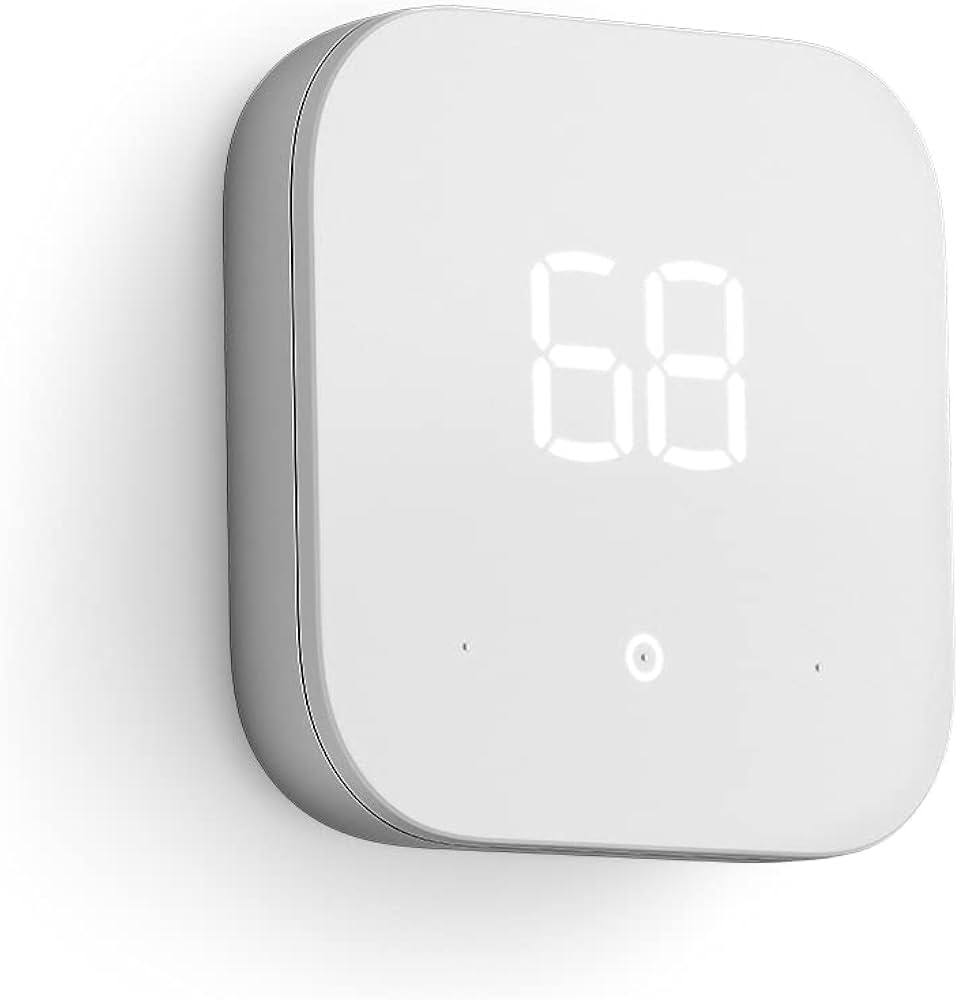
5. Amazon Smart Thermostat – Best for Alexa Households
Price: $79 – $99
Compatibility: Most 24V systems, requires C-wire
Sensors: No remote sensor support
Smart Home: Alexa only
Warranty: 1 year
For homes already built around Alexa and Ring devices, the Amazon Smart Thermostat offers an affordable entry point . However, its lack of remote sensor support makes it less suitable for true multi-zone control unless you install multiple thermostats.
Considerations for Multi-Zone:
- Budget option for each zone if installing multiple units
- No remote sensors means you need a thermostat in each zone
- Alexa Hunches automatically adjusts when you’re away or asleep
Pros:
- Very affordable
- Seamless Alexa integration
- Energy usage reports
- Simple, clean design
Cons:
- No remote sensor support
- Alexa-only (no Google or HomeKit)
- Requires C-wire
- Limited advanced features
Best For: Budget Alexa homes with 2–3 zones where you’ll install a thermostat in each zone
Smart Thermostat Comparison Table for Multi-Zone Systems
| Thermostat | Price | Max Sensors | Smart Platforms | Best Feature |
|---|---|---|---|---|
| Ecobee Premium | $229–$249 | 32 | Alexa, Google, HomeKit, SmartThings | Most versatile, air quality monitor |
| Honeywell T9 | $169–$199 | 20 | Alexa, Google, Cortana | One sensor included, geofencing |
| Nest Learning (4th) | $249–$279 | 6 | Google, Matter, Alexa, HomeKit | AI learning, premium design |
| Emerson Sensi Touch | $129–$149 | 10 | Alexa, Google, HomeKit | Best value, multi-thermostat manager |
| Amazon Smart | $79–$99 | 0 (separate thermostats needed) | Alexa only | Budget-friendly for Alexa homes |
How Multi-Zone Smart Thermostats Work
Understanding Zoned Systems
A zoned HVAC system uses dampers in your ductwork to direct airflow to specific areas of your home . Each zone has its own thermostat that communicates with a central control panel. When a zone calls for heating or cooling, the control panel opens the dampers for that zone and signals the HVAC system to turn on.
Components of a zoned system:
- Zone dampers: Motorized valves in ductwork
- Zone control panel: Central brain coordinating dampers and HVAC
- Thermostats: One per zone (or smart sensors)
- Bypass damper: Prevents pressure buildup when only small zones are active
Can You Use One Thermostat for Multiple Zones?
Yes, it’s possible to use one thermostat for multiple zones, but this requires a properly installed zoning system with dampers controlled by a central panel . The thermostat sends signals to the zoning panel, which then directs airflow to the appropriate zones.
However, for true independent zone control—where each room can have its own temperature setting—you need either:
- Multiple smart thermostats (one per zone)
- One smart thermostat with multiple remote sensors that can control zone dampers
Smart Thermostat Compatibility with Zoned Systems
Most smart thermostats are compatible with zoned systems, but there are important considerations :
| Zoning Type | Compatibility | Recommended Approach |
|---|---|---|
| Damper-based zoning with control panel | Compatible | One thermostat per zone, or one smart thermostat controlling panel |
| Multiple independent HVAC units | Compatible | Separate thermostats for each unit |
| Hydronic (radiator) zoning | Check compatibility | May require specific models like Mysa |
| High-voltage systems (baseboard) | Not compatible with standard smart thermostats | Need line-voltage thermostats |
Key Features to Look for in a Multi-Zone Smart Thermostat
1. Remote Room Sensors
Remote sensors are essential for multi-zone control. They allow you to:
- Monitor temperature in specific rooms
- Prioritize occupied rooms
- Balance temperatures across zones
- Create sensor groups for different areas
Sensor capabilities to consider:
- Temperature sensing: Basic requirement
- Occupancy detection: Prioritizes occupied rooms
- Humidity sensing: Helps with comfort control
- Wireless range: Important for larger homes
2. Geofencing
Geofencing uses your smartphone’s location to automatically adjust temperatures when you leave or return home . In multi-zone homes, this can:
- Set back temperatures in all zones when everyone leaves
- Pre-heat or pre-cool specific zones before you return
- Coordinate with multiple family members’ schedules
3. Smart Home Integration
Consider which platforms you use :
| Platform | Compatible Thermostats |
|---|---|
| Amazon Alexa | Ecobee, Honeywell, Nest (via Matter), Amazon, Emerson |
| Google Assistant | Ecobee, Nest, Honeywell, Emerson |
| Apple HomeKit | Ecobee, Emerson, Honeywell, Nest (via Matter) |
| Samsung SmartThings | Ecobee, Nest (via Matter) |
4. Learning Capabilities
AI-powered learning thermostats like the Nest Learning Thermostat observe your habits and create schedules automatically . This is particularly valuable in multi-zone homes where manual programming of multiple zones can be tedious.
5. Energy Reports
Detailed energy usage reports help you understand consumption patterns across zones and identify opportunities for savings . Look for thermostats that provide:
- Monthly energy summaries
- Runtime history
- Comparisons to previous periods
- Savings tips
Professional Installation vs. DIY for Multi-Zone Systems
When to DIY
DIY installation can save $100–$250 per thermostat . It works well for:
- Simple 24V systems with existing C-wire
- Single thermostat replacements in accessible locations
- Homes with straightforward wiring
- Confident DIYers with basic electrical knowledge
DIY installation time: 45–60 minutes per thermostat
When to Hire a Professional
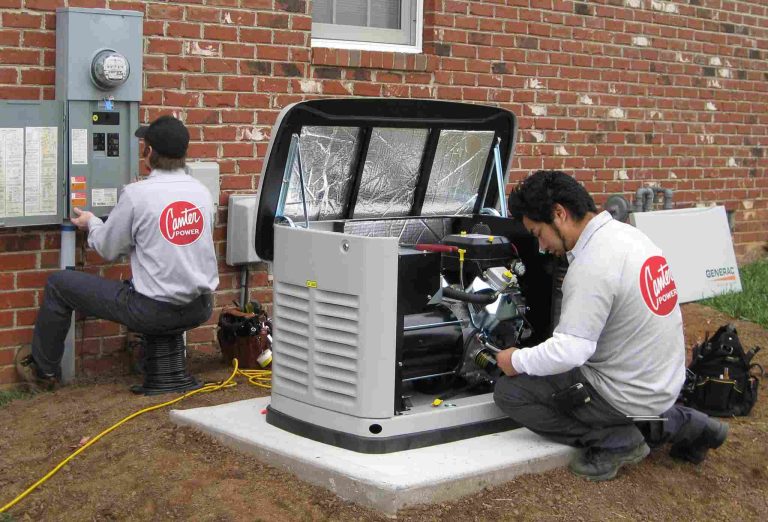
Professional installation is recommended for :
- Multi-zone systems with complex wiring
- Homes without C-wires (requires adapter installation)
- Heat pumps with auxiliary heat
- Multi-stage systems (wires labeled Y2, W2, etc.)
- Zoning systems requiring damper coordination
- High-voltage systems (120V/240V)
Professional installation cost: $75–$250 per thermostat
What Professional Installation Includes
When you hire a certified technician, they provide :
- Compatibility verification with your HVAC system
- Proper power shutdown for safety
- Professional wiring and labeling
- C-wire adapter installation if needed
- System configuration and testing
- Wi-Fi setup and app connection
- Tutorial on using advanced features
- Warranty protection (both manufacturer and installer)
Zoning Your Home: Complete System Installation
If your home doesn’t currently have zoning, you can add it. A professionally installed zoning system typically costs $2,500–$7,500+ depending on home size and complexity .
Zoning Installation Process
- HVAC assessment: Technician evaluates your current system
- Design: Determine optimal zones (typically 2–8 zones)
- Damper installation: Motorized dampers installed in ductwork
- Control panel: Central controller wired to dampers and HVAC
- Thermostats: Smart thermostats installed in each zone
- Configuration: System balanced and programmed
- Testing: Verify proper operation of all zones
Energy Savings from Zoning
Proper zoning can reduce energy consumption by 15–25% compared to single-zone systems . Savings come from:
- Not heating/cooling unused spaces
- Eliminating temperature battles between zones
- More precise temperature control
- Reduced HVAC runtime
Multi-Zone Smart Thermostat Cost Breakdown
| Component | DIY Cost | Professional Installed |
|---|---|---|
| Basic smart thermostat (e.g., Amazon) | $80–$100 | $180–$350 |
| Mid-range (e.g., Honeywell T9) | $170–$200 | $270–$450 |
| Premium (e.g., Ecobee Premium) | $230–$250 | $330–$500 |
| Additional room sensor | $40–$80 each | $80–$150 each installed |
| New zoning system (2 zones) | Not DIY | $2,500–$4,500 |
| New zoning system (4+ zones) | Not DIY | $5,000–$7,500+ |
Energy Savings and ROI
Potential Annual Savings
| Home Size | Zones | Estimated Annual Savings* |
|---|---|---|
| Small (1,500 sq ft) | 2–3 | $150 – $300 |
| Medium (2,500 sq ft) | 3–4 | $250 – $450 |
| Large (3,500+ sq ft) | 4–6 | $350 – $600+ |
*Based on average US energy costs and climate; actual savings vary
Payback Period
- Basic thermostat upgrade: 1–3 years
- Adding sensors to existing zones: 2–4 years
- Full zoning system installation: 5–10 years
Frequently Asked Questions
Do smart thermostats work with zoned systems?
Yes, most smart thermostats are compatible with zoned systems as long as they’re properly installed and configured . Check manufacturer specifications for your specific system type.
How many zones can I control with one thermostat?
One thermostat typically controls one zone directly. However, with remote sensors and a zoning control panel, one smart thermostat can manage multiple zones by signaling the panel to direct airflow.
What’s the best thermostat for homes with multiple floors?
The Ecobee Smart Thermostat Premium with multiple room sensors is ideal for multi-floor homes. Place sensors on each floor, and the system will ensure comfort throughout .
Can I install a smart thermostat myself?
For simple systems with a C-wire, DIY installation is possible. For complex multi-zone setups, professional installation is recommended to ensure proper configuration and warranty protection .
Do I need a C-wire for smart thermostats?
Most smart thermostats require a C-wire (common wire) for continuous power. Some models include adapters if your home lacks one .
How many remote sensors do I need?
For basic zone balancing, place sensors in rooms you use most. For full multi-zone control, consider one sensor per zone or per regularly occupied room.
Conclusion: Which Multi-Zone Smart Thermostat Should You Choose?
After comparing top options for 2026, here are our recommendations based on your situation:
- Best overall for most homes: Ecobee Smart Thermostat Premium – supports up to 32 sensors, works with all platforms, and includes air quality monitoring
- Best for existing Honeywell systems: Honeywell Home T9 – one sensor included, supports up to 20, excellent geofencing
- Best for Google/Nest households: Google Nest Learning Thermostat (4th Gen) – AI learning, premium design, Matter support
- Best value: Emerson Sensi Touch – affordable, supports 10 sensors, multi-thermostat manager app
- Best budget option for Alexa homes: Amazon Smart Thermostat – install multiple units for zone control at lowest cost
Final Tips
- Assess your current system – Do you have zoning? Do you need it?
- Count your zones – Determine how many thermostats or sensors you need
- Check compatibility – Verify your HVAC system works with your chosen thermostat
- Consider professional installation – For complex systems, it’s worth the investment
- Start with key zones – If budget is tight, thermostat the most-used areas first
With the right multi-zone smart thermostat setup, you’ll enjoy personalized comfort, lower energy bills, and peace of mind knowing your home is always at the perfect temperature—in every room.